
CNC Meaning: What Does CNC Stand For? Full Guide
Quick Answer
CNC stands for Computer Numerical Control — the automated control of machine tools (mills, lathes, routers) by a computer following programmed instructions. Instead of a person guiding the cutting tool by hand, a program tells the machine exactly where to move, how fast to cut, and how deep to go, producing precise parts automatically.
- Full form: Computer Numerical Control
- What it does: Automates cutting, drilling, and shaping of materials
- Language: G-code and M-code instructions
- Used for: Metal, wood, plastic, and composite parts
What Does CNC Mean?
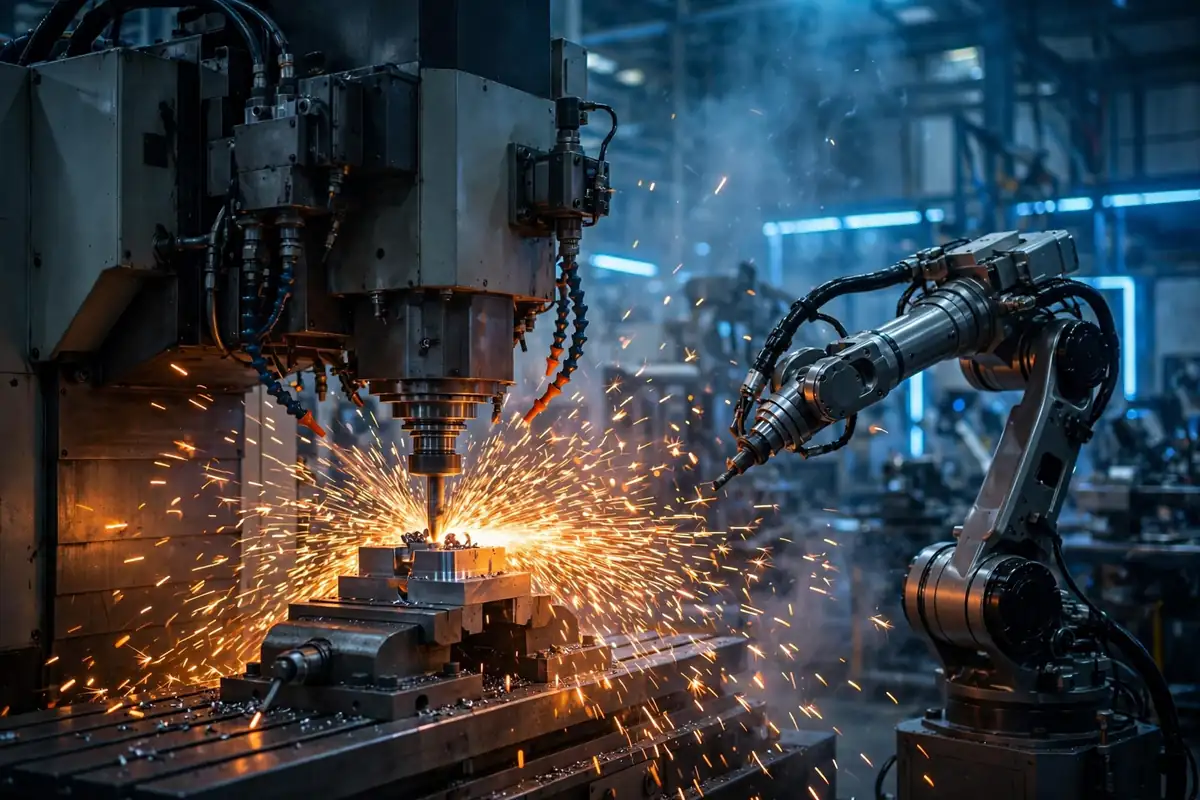
CNC stands for Computer Numerical Control. In plain language: it’s a way of running machine tools — the mills, lathes, drills, and routers that shape raw material into finished parts — with a computer instead of human hands.
Before CNC, a skilled machinist stood at the machine turning hand wheels, pulling levers, and judging every cut by eye and feel. With CNC, an engineer designs the part on a computer, software converts that design into precise movement instructions, and the machine executes them automatically, repeatedly, and with accuracy no human hand can match — often down to fractions of a millimeter.
The term is used two ways: “CNC” for the control technology itself, and “CNC machining” for the manufacturing process that uses it. You’ll also hear “CNC machine” for the physical equipment.
A Brief History: From NC to CNC
CNC evolved from an earlier technology called NC (Numerical Control), developed in the 1940s–50s, where machines followed instructions stored on punched cards or punched tape — no computer involved. It worked, but changing a program meant physically re-punching tape.
As computers became cheaper and more powerful through the 1970s–80s, they took over the control function — and CNC was born. Programs could now be written, edited, simulated, and stored digitally. What once took hours of tape-punching could be changed in seconds on a screen.
Today, CNC is the backbone of modern manufacturing, and the same core idea — digital instructions driving physical tools — powers everything from 3D printers to laser cutters to robotic arms.
How Does CNC Machining Work?
The journey from idea to finished part follows four clear stages:
- Design the part (CAD). An engineer creates a precise 3D model using CAD (Computer-Aided Design) software. This digital blueprint defines every dimension, curve, and hole.
- Convert to machine instructions (CAM). CAM (Computer-Aided Manufacturing) software translates the 3D model into a toolpath — the exact route the cutting tool must travel — and outputs it as G-code, the language CNC machines understand.
- Set up the machine. The operator secures a block of raw material (the “workpiece”) in the machine, loads the correct cutting tools, and verifies alignment, speeds, and safety systems.
- Machine and inspect. The machine follows the program — cutting, drilling, milling — until the part takes shape. The finished part is then measured against the design to confirm it meets tolerance.
Once the program is proven, the machine can repeat it hundreds or thousands of times with near-identical results — the fundamental superpower of CNC.
G-Code Explained Simply
G-code is the language most CNC machines speak. It’s a list of simple commands, each telling the machine to do one thing:
- G0 / G1 — move the tool to a position (rapidly, or at cutting speed)
- G2 / G3 — cut an arc or circle
- M3 / M5 — start or stop the spindle (the rotating cutter)
- M8 / M9 — turn coolant on or off
A typical line looks like G1 X50 Y25 F300 — “move in a straight line to position X50, Y25 at feed rate 300.” Thousands of such lines make up a complete program. M-code handles auxiliary functions (tool changes, coolant, program end). Most programmers today never write G-code by hand — CAM software generates it — but understanding it helps with troubleshooting.
Fun fact: 3D printers use G-code too. A 3D model is “sliced” into thin layers, and each layer becomes G-code movement instructions — additive manufacturing speaking the same language as subtractive machining.

Main Types of CNC Machines
- CNC milling machines: A rotating cutter moves across (or into) a fixed workpiece. The most versatile type — handles complex shapes, slots, pockets, and 3D contours.
- CNC lathes (turning centers): The workpiece spins while a stationary cutting tool shapes it. Ideal for round, symmetrical parts like shafts, bushings, and bolts.
- CNC routers: Similar to mills but optimized for softer materials — wood, plastic, foam, composites. Popular in sign-making, cabinetry, and prototyping.
- CNC plasma / laser / waterjet cutters: Cut sheet material with a high-energy beam or jet instead of a physical cutter. Excellent for flat profiles in metal.
- Multi-axis machines (3, 4, 5-axis): Standard machines move in 3 axes (X, Y, Z). Adding rotary axes lets the tool attack the part from more angles in a single setup — dramatically improving accuracy and enabling geometries impossible otherwise.
- CNC grinders: Use abrasive wheels for ultra-fine finishing and extreme precision on hardened materials.
CNC vs Manual Machining
| Factor | CNC Machining | Manual Machining |
|---|---|---|
| Precision | Extremely high, repeatable to microns | Depends entirely on operator skill |
| Repeatability | Identical parts across huge batches | Each part slightly different |
| Complexity | Handles complex 3D geometries easily | Limited by human dexterity |
| Speed (production) | Very fast once programmed; runs 24/7 | Slower, needs breaks |
| Setup cost/time | High — programming and fixturing take time | Low — start cutting quickly |
| Best for | Batch production, precision parts | One-offs, simple repairs, prototyping |
The honest trade-off: for a single simple part, a skilled manual machinist may finish before a CNC program is even written. For ten or ten thousand identical precision parts, CNC wins by a landslide.
Industries That Depend on CNC
CNC machining is nearly invisible to consumers but embedded in almost everything manufactured:
- Aerospace: Turbine blades, airframe components — where failure is not an option and tolerances are extreme.
- Automotive: Engine blocks, transmission parts, custom components, prototyping.
- Medical: Surgical instruments, implants, prosthetics — often in titanium.
- Electronics: Heat sinks, enclosures, connectors.
- Energy: Turbine parts, oil and gas components.
- Consumer products: Everything from phone chassis to premium watch cases.
- Woodworking & signage: Furniture parts, cabinetry, engraved signs via CNC routers.
CNC at Home: Hobby Machines & 3D Printers
CNC is no longer confined to factories. Desktop CNC machines — small mills, routers, and laser engravers — let hobbyists cut wood, plastic, and even soft metals at home. Combined with free or affordable CAD software, a motivated beginner can design and cut real parts on a kitchen table (with proper ventilation and safety precautions).
3D printers are the most popular home “CNC-adjacent” machines. They work in reverse — adding material layer by layer instead of cutting it away — but they run on the same G-code principle. Together, affordable CNC routers and 3D printers have put small-scale digital manufacturing within reach of anyone.

Advantages and Limitations
Advantages:
- Extraordinary precision and repeatability
- Handles complex geometries impossible by hand
- High productivity — machines run around the clock
- Consistent quality across large batches
- Easy design changes — just edit the program
- Reduced human error and material waste
Limitations:
- High upfront cost for machines and software
- Requires skilled programmers and operators
- Setup and programming time for each new part
- Maintenance and calibration demands
- Less economical than manual work for one-off simple jobs
CNC Machines Compared
| Machine | How it works | Best for |
|---|---|---|
| CNC Mill | Rotating cutter, fixed workpiece | Complex 3D shapes, pockets, slots |
| CNC Lathe | Spinning workpiece, fixed tool | Round parts: shafts, bolts, bushings |
| CNC Router | High-speed spindle, lighter frame | Wood, plastic, signs, prototyping |
| Laser / Plasma / Waterjet | Beam or jet cuts sheet | Flat profiles in sheet metal |
| 5-Axis Mill | Tool approaches from any angle | Aerospace parts, complex contours |
| 3D Printer | Adds material layer by layer | Prototypes, complex hollow geometries |
Frequently Asked Questions
What does CNC stand for?
Computer Numerical Control — the computer-automated control of machine tools via programmed instructions.
What is CNC machining in simple terms?
A manufacturing process where a computer program guides machines to cut, drill, and shape raw material into precise finished parts — automatically.
What is G-code?
The programming language of CNC machines: a list of commands telling the machine where to move, how fast, and when to cut, cool, or stop.
What is the difference between CNC and NC?
NC (Numerical Control) used punched tape without a computer; CNC uses a computer, making programs far easier to write, edit, and store.
What materials can CNC machines work with?
Metals (steel, aluminum, titanium, brass), wood, plastics, foam, composites, and even ceramics.
Is a 3D printer a CNC machine?
In the broad sense, yes — it’s computer numerical control applied additively (building up) rather than subtractively (cutting away). Both run on G-code.
How accurate are CNC machines?
Industrial machines routinely hold tolerances of a few thousandths of a millimeter (microns) — far beyond manual capability.
Can I learn CNC at home?
Yes — desktop CNC routers and 3D printers, plus free CAD software, make it possible to learn the full CAD → CAM → G-code → part workflow as a hobbyist.
What does “CNC operator” do?
Loads programs and materials, sets up and monitors the machine, checks part quality — the human partner of the automated process.
How much does a CNC machine cost?
Hobby machines start in the low hundreds; industrial machines run tens of thousands to millions — capability and precision drive the price.
Source: Technical overview compiled from manufacturing references. For the encyclopedic article, see Wikipedia’s article on computer numerical control.